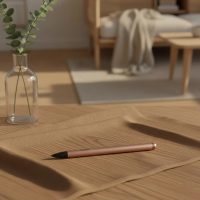
Ever feel like your fingers just aren’t cutting it when you’re trying to jot down a quick note, sketch an idea, or even just navigate your tablet? You’re not alone. Many of us crave a more precise, intuitive way to interact with our touchscreens. That’s where a fantastic tool like the Oaso stylus pen comes into play, offering a refreshing blend of simplicity, accuracy, and universal compatibility that can truly transform your digital experience.

Imagine a tool that feels natural in your hand, yet grants you pinpoint control over your device. The Oaso stylus pen is exactly that – a straightforward, highly effective solution designed to enhance how you work, learn, and create. It’s an accessible entry point into the world of digital input, removing the complexities often associated with more advanced stylus technology.
What Makes the Oaso Stylus Pen Stand Out?
The market is flooded with stylus options, so what makes the Oaso stylus pen a noteworthy contender? Its appeal lies in its ingenious design and user-centric features that prioritize ease of use and broad accessibility.
The Magic of the Disc Tip: Precision Without Power
At the heart of the Oaso stylus pen’s accuracy is its unique disc tip. Unlike traditional rubber tips or even some fine-point active styluses, the Oaso utilizes a clear, conductive disc that allows you to see exactly where your mark will land on the screen. This innovative design simulates a human finger’s contact point, tricking your device into registering precise input without needing any internal electronics. It offers a level of responsiveness that makes every stroke feel intentional and accurate, whether you’re drawing a fine line or selecting a tiny icon.
No Pairing, No Charging: Always Ready to Go
One of the biggest headaches with modern gadgets is the constant need for charging and pairing. The Oaso stylus pen elegantly sidesteps both. It’s a battery-free device that requires no Bluetooth connection or any other setup. You simply pick it up and start using it. This “always ready” convenience means no more scrambling for chargers before a meeting or fumbling with settings when inspiration strikes. It’s a true plug-and-play (or rather, “touch-and-use”) solution that fits seamlessly into a busy lifestyle.
A Design That Feels Right in Your Hand
Beyond its technical prowess, the Oaso stylus pen is crafted with user comfort in mind. Made from high-quality materials like magnesium alloy or aluminum, it boasts an ergonomic design that feels substantial yet lightweight. This thoughtful construction ensures a comfortable grip, reducing hand fatigue even during extended use. Many models also feature a smart, integrated pen housing with an evolation rotate design, allowing you to easily eject and hide the disc tip when not in use, protecting it from damage. Plus, a magnetic cap often provides an extra layer of protection and convenient storage, snapping securely onto your device or the stylus itself.
Universal Compatibility: Works with Almost Everything
One of the most compelling aspects of the Oaso stylus pen is its impressive compatibility. While many styluses are designed for specific brands or operating systems, the Oaso is a champion of versatility.
From iPads to Android Tablets: A Broad Reach
|
Our Picks for the Best Stylus Pen in 2026
As an Amazon Associate I earn from qualifying purchases.
|
||
| Num | Product | Action |
|---|---|---|
| 1 | Metapen Pencil A8 for Apple iPad 2018-2025, (2X Faster Charge), Tilt Sensitivity, Pixel Precision, Stylus Pen for iPad 11/10/9/8/7/6th Gen, Pro 12.9/11/13-inch M4, Air 3/4/5/M2/M3, Mini 5/6th, Black |

|
| 2 | Bopomofo Stylus (5 Pcs), 2-in-1 Stylus Pen for Touch Screen, High Precision and Sensitivity, Suitable for iPhone/ipad/Android Tablets, Compatible with Touch Screens (Black/White/Blue/Rose Gold/Silver) |
|
| 3 | Bopomofo Stylus (5 Pcs),2-in-1 Stylus Pen for Touchscreen, High Precision and Sensitivity, Suitable for iPhone/ipad/Android Tablets, Compatible with Touch Screens,Black |
|
| 4 | Metapen Pencil A8 for Apple iPad 2018-2025, (2X Faster Charge), Tilt Sensitivity, Pixel Precision, Stylus Pen for iPad 11/10/9/8/7/6th Gen, Pro 12.9/11/13-inch M4, Air 3/4/5/M2/M3, Mini 5/6th, Grey |
|
| 5 | Metapen Pencil A8 for Apple iPad 2018-2025, (2X Faster Charge), Tilt Sensitivity, Pixel Precision, Stylus Pen for iPad 11/10/9/8/7/6th Gen, Pro 12.9/11/13-inch M4, Air 3/4/5/M2/M3, Mini 5/6th, Blue |
|
| 6 | Bopomofo Stylus (5 Pcs),2-in-1 Stylus Pen for Touchscreen, High Precision and Sensitivity, Suitable for iPhone/ipad/Android Tablets, Compatible with Touch Screens,Blue |
|
| 7 | Bopomofo Stylus (10 Pcs), 2-in-1 Stylus Pen for Touchscreen, High Precision and Sensitivity, Suitable for iPhone/ipad/Android Tablets, Compatible with Touch Screens,Black/White |
|
| 8 | Metapen Pencil A8 for Apple iPad 2018-2025, (2X Faster Charge), Tilt Sensitivity, Pixel Precision, Stylus Pen for iPad 11/10/9/8/7/6th Gen, Pro 12.9/11/13-inch M4, Air 3/4/5/M2/M3, Mini 5/6th, Green |
|
| 9 | Metapen Pencil A8 V4 for iPad 2018-2025, Upgrade Magnetic Attraction, 2X Fast Charge, Low Latency Stylus Pen for iPad 11-6th Gen, Pro 12.9/11/13-inch M4/M5, Air 3/4/5/M2/M3, Mini 5/6/7th A17 Pro |
|
| 10 | Metapen Pencil A8 for Apple iPad 2018-2025, (2X Faster Charge), Tilt Sensitivity, Pixel Precision, Stylus Pen for iPad 11/10/9/8/7/6th Gen, Pro 12.9/11/13-inch M4, Air 3/4/5/M2/M3, Mini 5/6th, White |
|
The Oaso stylus pen works seamlessly across virtually all capacitive touchscreen devices. This includes a vast array of gadgets from Apple iPads (including various generations and iPad Pro models) and iPhones, to Samsung Galaxy Tabs, Amazon Fire tablets, Microsoft Surface devices, Chromebooks, and many more Android smartphones and tablets. This extensive compatibility makes it an ideal choice for households with diverse tech ecosystems or for individuals who switch between multiple devices regularly.
Why Universal Compatibility Matters
In today’s multi-device world, having a single stylus that can work across all your touchscreens is incredibly liberating. It eliminates the need to buy multiple styluses, reduces clutter, and simplifies your workflow. Whether you’re moving from a work tablet to a personal smartphone or sharing a device with family members, the Oaso stylus pen ensures everyone can enjoy a more precise and intuitive digital interaction. It’s a testament to its design that it can offer such broad functionality without any complex technical requirements.
Unlocking Your Creativity and Productivity with Oaso
The Oaso stylus pen isn’t just a fancy accessory; it’s a tool that can genuinely enhance various aspects of your digital life, whether you’re a student, a professional, or an aspiring artist.
For the Student and Professional: Notes, Annotations, and More
Imagine taking notes directly on lecture slides or marking up documents with the fluidity of pen on paper. The Oaso stylus pen excels in this domain. Its precision allows for neat, legible handwriting on digital screens, making it perfect for students taking notes in class, annotating PDFs, or solving math problems. Professionals can leverage it for signing digital documents, brainstorming ideas in a virtual whiteboard, or highlighting key points in presentations. It transforms passive viewing into active engagement, boosting productivity and retention.
For the Aspiring Artist: Sketching and Basic Drawing
While it may not boast the advanced pressure sensitivity of high-end active styluses, the Oaso stylus pen is a fantastic starting point for digital art. Its disc tip offers enough precision for sketching, doodling, and basic drawing. Many users find it a game-changer for outlining, coloring, and adding details that would be cumbersome with a finger. It’s an excellent tool for those exploring digital art for the first time or for experienced artists who need a reliable, no-fuss stylus for quick concept work or casual creative sessions.
For Everyday Navigation: A Smoother Touchscreen Experience
Beyond specific tasks, the Oaso stylus pen dramatically improves general touchscreen navigation. Tired of accidentally tapping the wrong link or struggling to select small elements on your screen? The Oaso provides a more controlled and accurate input, making browsing, scrolling, and interacting with apps a smoother and more enjoyable experience. It’s especially useful for anyone with larger fingers or those who simply prefer a cleaner screen, free from smudges.
Getting Started with Your Oaso Stylus Pen
One of the most appealing features of the Oaso stylus pen is how incredibly simple it is to get up and running.
Unboxing and First Use: It’s That Simple
When you first unbox your Oaso stylus pen, you’ll likely find the pen itself, perhaps an extra replacement disc tip conveniently tucked away inside the pen’s barrel, and often a portable leather case. There’s no complex software to install, no batteries to insert, and no pairing process. Just remove any protective caps, and you’re ready to touch pen to screen. It’s designed for instant gratification, making it accessible even for those who are not particularly tech-savvy.
Maximizing Your Oaso’s Lifespan: Care and Maintenance
To ensure your Oaso stylus pen serves you well for a long time, a little care goes a long way. Always use the magnetic cap to protect the delicate disc tip when not in use. Avoid dropping the stylus, especially on hard surfaces, as this can damage the tip or the pen body. The disc tips, while durable, can wear out over time. Thankfully, the Oaso stylus pen often comes with spare tips, and replacements are readily available. Swapping out a worn tip is usually a simple unscrewing process, ensuring your precision never dwindles.
Oaso Stylus Pen: Who Is It For?
Deciding if the Oaso stylus pen is the right tool for you boils down to understanding your needs and expectations.
An Affordable Entry Point into Stylus Use
The Oaso stylus pen is ideally suited for anyone seeking an affordable, reliable, and universally compatible stylus. It’s an excellent choice for:
- Students and educators who need to take notes, annotate, or interact with digital content.
- Casual users who want more precision for everyday navigation, gaming, or reading.
- Beginner digital artists looking for an entry-level tool to explore sketching and basic drawing.
- Professionals who require a simple tool for quick edits, signatures, or brainstorming.
- Anyone tired of finger smudges and desiring a cleaner, more accurate touchscreen experience.
When You Might Need More
While the Oaso stylus pen offers exceptional value and functionality for its class, it’s important to set realistic expectations. If your primary use case involves highly detailed professional artwork, graphic design, or architectural drafting that demands varying line weights, tilt recognition, and hundreds of levels of pressure sensitivity, you might eventually look towards more advanced, active styluses like the Apple Pencil or Samsung S Pen, which are often device-specific and come with a significantly higher price tag. The Oaso excels in simplicity and broad utility, not specialized, high-fidelity input.
Expert Opinion: The Value of Simplicity
“In a world brimming with complex tech, the Oaso stylus pen is a refreshing example of how effective simplicity can be,” says Isabella Chen, a renowned tech reviewer specializing in mobile accessories. “Its disc-tip technology and battery-free design cut through the noise, offering reliable precision without any unnecessary frills. For the vast majority of touchscreen users, it delivers exactly what they need: an intuitive, always-ready tool that just works.” This endorsement highlights the Oaso’s core strength – providing a straightforward, dependable solution.
Frequently Asked Questions About the Oaso Stylus Pen
Let’s address some common questions people have about the Oaso stylus pen.
Is the Oaso Stylus Pen pressure sensitive?
No, the Oaso stylus pen does not feature pressure sensitivity. It operates by mimicking a finger’s touch, providing consistent line weight regardless of how hard you press.
Do I need to charge or pair my Oaso Stylus Pen?
Absolutely not! The Oaso stylus pen is designed to be battery-free and requires no Bluetooth pairing or charging, making it ready to use instantly.
What devices are compatible with the Oaso Stylus Pen?
The Oaso stylus pen offers broad compatibility with all capacitive touchscreen devices, including iPads, iPhones, Samsung Galaxy tablets and smartphones, Fire HD tablets, Microsoft Surface, and Chromebooks.
How often should I replace the disc tip?
The lifespan of the disc tip depends on your usage frequency and pressure. Oaso stylus pens often come with extra replacement tips, and changing them is a simple process. Replace it when you notice a decrease in responsiveness or accuracy.
Can I use the Oaso Stylus Pen for professional drawing?
While the Oaso stylus pen is excellent for sketching and basic drawing, it may not offer the advanced features like pressure sensitivity and tilt recognition that professional artists require for highly detailed work. It’s a great entry-level option, but specialized artistic tools might be needed for high-end professional applications.
Final Thoughts on the Oaso Stylus Pen
The Oaso stylus pen carves out a significant niche in the digital accessory market by focusing on core functionality and user convenience. It’s a testament to effective design, delivering precision, broad compatibility, and unparalleled ease of use without the added complexities of batteries or pairing. Whether you’re a student looking to streamline your note-taking, a professional enhancing your digital workflow, or an aspiring artist taking your first steps in digital creation, the Oaso stylus pen offers an affordable, reliable, and always-ready solution. Embrace the simplicity and experience a more precise, intuitive interaction with your touchscreen devices. Give the Oaso stylus pen a try; you might just wonder how you managed without it!
Get our weekly buyer guide
Practical specs, not advice. Unsubscribe anytime.