Remember the days when interacting with your touchscreen felt like navigating a giant finger painting? Smudges, missed taps, and a general lack of finesse were just part of the deal. Then, like a digital whisper, the Capacitive Stylus Pen arrived, transforming our touch-based devices into canvases for true precision and control. Whether you’re a budding artist, a diligent note-taker, or simply someone craving a cleaner, more accurate digital experience, understanding the power of a capacitive stylus pen is key to unlocking your device’s full potential.
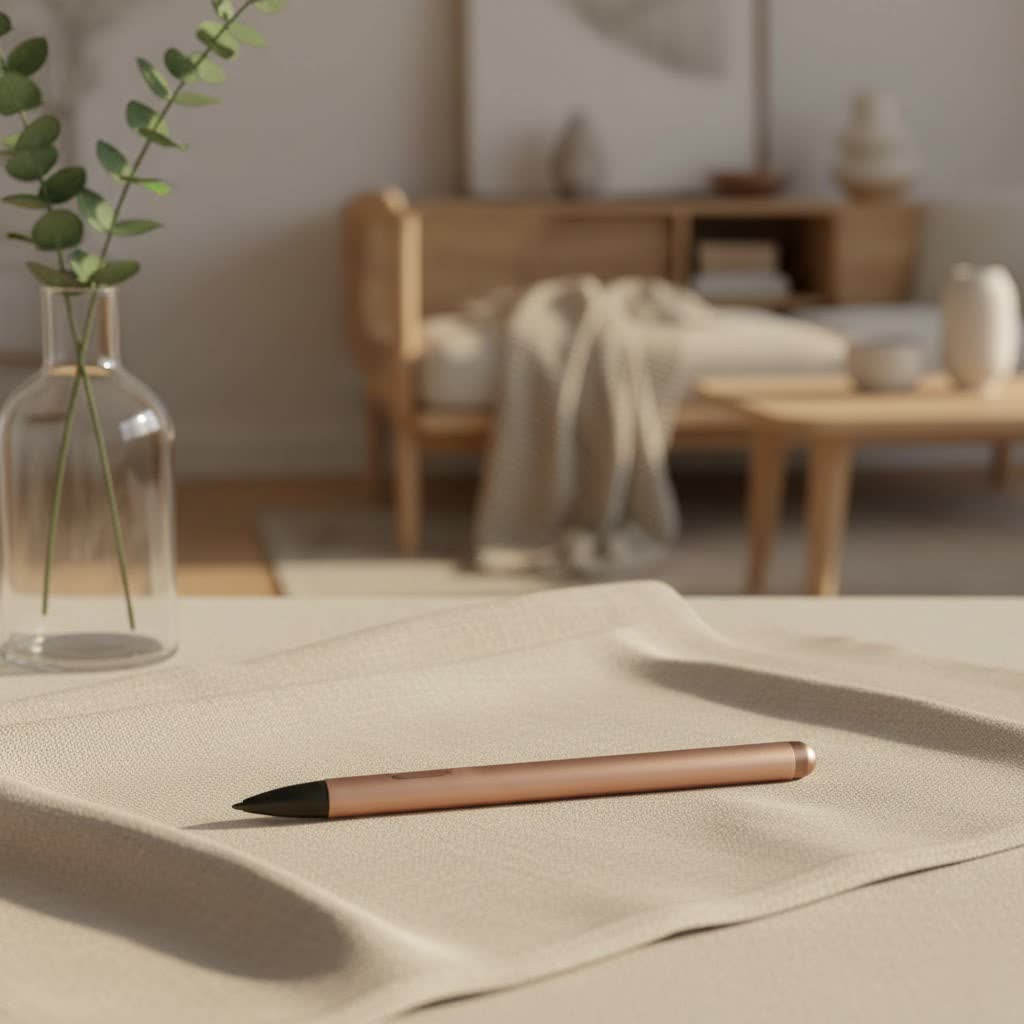
Understanding the Magic: How a Capacitive Stylus Pen Works
At its heart, a capacitive stylus pen is a clever tool designed to trick your touchscreen into thinking it’s your finger, but with far greater accuracy. To really get how it works, let’s peek behind the digital curtain at capacitive touchscreens themselves. These screens are layered with transparent conductive materials, often indium tin oxide (ITO), that create an invisible electrostatic field across their surface. When your finger, or any other conductive object, touches this field, it causes a tiny disruption, a change in electrical capacitance, that the screen’s controller instantly detects and translates into your command – a tap, a swipe, or a careful line.
So, where does our trusty capacitive stylus pen fit in? It works by mimicking the electrical conductivity of your skin. These pens are typically crafted from materials like conductive metals (think copper or aluminum), special conductive foam, or rubber. When the stylus tip touches the screen, it acts as an extension of your body, completing the electrical circuit and disrupting that electrostatic field, just like your fingertip would. The design of the stylus tip is quite important; it needs to be broad enough to register contact consistently but fine enough to offer the precision you crave. Many tips are also made from soft materials to ensure smooth gliding and prevent any unwelcome screen scratches.
A Brief History of the Digital Pen
While modern capacitive stylus pens feel like futuristic gadgets, the concept of a “stylus” for interaction is surprisingly ancient. Early forms were used as far back as 1643 with Pascal’s mechanical calculator, allowing users to precisely turn dials. Fast forward to the electronic age, and the first recorded use of a stylus with an electronic computing device was the “Stylator” in 1957. Since then, stylus technology has evolved dramatically, leading to the sophisticated tools we use today.
Passive vs. Active: Decoding Capacitive Stylus Pen Types
When we talk about a “capacitive stylus pen,” we’re often thinking of the simpler, passive variety. However, the world of styluses for capacitive screens is broader, encompassing both passive and active options, each with distinct features.
Passive Capacitive Stylus Pens
These are the most common and universally compatible capacitive stylus pens. They are elegantly simple: no internal electronics, no batteries, and no pairing required. They work purely by conducting your body’s natural electrical charge to the screen. You can literally pick one up and start using it on almost any modern smartphone, tablet, or touchscreen laptop.
Pros:
- Universal Compatibility: Works with virtually any capacitive touchscreen device.
- Affordable: Generally the most budget-friendly option.
- Battery-Free: Never needs charging, always ready to go.
- Easy to Use: Just like holding a regular pen.
Cons:
- Lacks Pressure Sensitivity: Most basic passive capacitive stylus pens don’t detect how hard you press.
- No Palm Rejection: The screen can’t distinguish between the stylus and your resting palm, which can lead to accidental marks.
- Thicker Tips: Often feature a wider, rubber or foam tip for reliable screen contact, which can slightly reduce precision compared to active pens. However, some newer designs incorporate transparent disc tips for improved accuracy and visibility.
|
Our Picks for the Best Stylus Pen in 2026
As an Amazon Associate I earn from qualifying purchases.
|
||
| Num | Product | Action |
|---|---|---|
| 1 | Metapen Pencil A8 for Apple iPad 2018-2025, (2X Faster Charge), Tilt Sensitivity, Pixel Precision, Stylus Pen for iPad 11/10/9/8/7/6th Gen, Pro 12.9/11/13-inch M4, Air 3/4/5/M2/M3, Mini 5/6th, Blue |

|
| 2 | Metapen Pencil A8 for Apple iPad 2018-2025, (2X Faster Charge), Tilt Sensitivity, Pixel Precision, Stylus Pen for iPad 11/10/9/8/7/6th Gen, Pro 12.9/11/13-inch M4, Air 3/4/5/M2/M3, Mini 5/6th, Grey |
|
| 3 | Metapen Pencil A8 for Apple iPad 2018-2025, (2X Faster Charge), Tilt Sensitivity, Pixel Precision, Stylus Pen for iPad 11/10/9/8/7/6th Gen, Pro 12.9/11/13-inch M4, Air 3/4/5/M2/M3, Mini 5/6th, White |
|
| 4 | Metapen Pencil A8 V4 for iPad 2018-2025, Upgrade Magnetic Attraction, 2X Fast Charge, Low Latency Stylus Pen for iPad 11-6th Gen, Pro 12.9/11/13-inch M4/M5, Air 3/4/5/M2/M3, Mini 5/6/7th A17 Pro |
|
| 5 | Bopomofo Stylus (5 Pcs),2-in-1 Stylus Pen for Touchscreen, High Precision and Sensitivity, Suitable for iPhone/ipad/Android Tablets, Compatible with Touch Screens,Blue |
|
| 6 | Bopomofo Stylus (10 Pcs), 2-in-1 Stylus Pen for Touchscreen, High Precision and Sensitivity, Suitable for iPhone/ipad/Android Tablets, Compatible with Touch Screens,Black/White |
|
| 7 | Metapen Pencil A8 for Apple iPad 2018-2025, (2X Faster Charge), Tilt Sensitivity, Pixel Precision, Stylus Pen for iPad 11/10/9/8/7/6th Gen, Pro 12.9/11/13-inch M4, Air 3/4/5/M2/M3, Mini 5/6th, Green |
|
| 8 | Metapen Pencil A8 for Apple iPad 2018-2025, (2X Faster Charge), Tilt Sensitivity, Pixel Precision, Stylus Pen for iPad 11/10/9/8/7/6th Gen, Pro 12.9/11/13-inch M4, Air 3/4/5/M2/M3, Mini 5/6th, Black |
|
| 9 | Bopomofo Stylus (5 Pcs),2-in-1 Stylus Pen for Touchscreen, High Precision and Sensitivity, Suitable for iPhone/ipad/Android Tablets, Compatible with Touch Screens,Black |
|
| 10 | Bopomofo Stylus (5 Pcs), 2-in-1 Stylus Pen for Touch Screen, High Precision and Sensitivity, Suitable for iPhone/ipad/Android Tablets, Compatible with Touch Screens (Black/White/Blue/Rose Gold/Silver) |
|
Active Stylus Pens
While still interacting with capacitive touchscreens, active stylus pens are a different breed entirely. They house internal electronic components, often communicating with your device via Bluetooth. This internal tech unlocks a world of advanced features.
Pros:
- Pressure Sensitivity: Detects varying levels of pressure, allowing for nuanced line thickness and shading in art apps.
- Palm Rejection: The device can intelligently ignore your resting hand, preventing unwanted marks and enabling a more natural drawing or writing posture.
- Tilt Recognition: Some active pens can detect the angle at which you hold the stylus, adding to artistic control.
- Programmable Buttons: Often include customizable buttons for quick access to tools like erasers or shortcuts.
- Finer Tips: Can have very fine, pen-like tips for ultimate precision.
Cons:
- Device-Specific Compatibility: Often designed to work with specific brands or models (e.g., Apple Pencil for iPad, Surface Pen for Microsoft Surface).
- Requires Power: Needs to be charged or use replaceable batteries.
- Higher Price Point: More expensive due to the embedded technology.
For the purpose of this article, when we refer to the common “capacitive stylus pen,” we’ll often be highlighting the benefits and characteristics of the universal passive type, while acknowledging the advanced capabilities active styluses bring to capacitive touchscreens.
Unlocking Potential: Key Benefits of Using a Capacitive Stylus Pen
Why bother with a stylus when you have perfectly good fingers? It’s a fair question, but the advantages of a capacitive stylus pen go far beyond simply pointing.
Enhanced Precision and Accuracy
Let’s face it, our fingertips are not designed for surgical precision on a small screen. A capacitive stylus pen, with its refined tip, offers a much finer point of interaction. This translates to more accurate tapping, more legible handwriting, and the ability to hit those tiny on-screen buttons without multiple attempts. For tasks requiring meticulous detail, a stylus is truly indispensable.
Keeping Your Screen Pristine
Tired of your beautiful touchscreen resembling a greasy battlefield after just a few minutes of use? Your capacitive stylus pen is here to help! By minimizing direct finger contact, you drastically reduce smudges, fingerprints, and even general grime buildup, leaving your screen looking cleaner and clearer for longer. This is particularly useful for public touchscreens like ATMs, offering a more hygienic interaction.
Boosting Productivity in Notes and Documents
For students, professionals, and anyone who prefers the tactile feel of writing, a capacitive stylus pen can revolutionize your digital note-taking. Scribble down thoughts, annotate PDFs, highlight key passages, and sketch out diagrams with a fluidity that typing simply can’t match. It allows your ideas to flow directly from your mind to the screen, preserving the spontaneity of traditional pen and paper.
Empowering Digital Creativity
Even without advanced pressure sensitivity (often found in active styluses), a capacitive stylus pen opens up a world of digital artistry. Artists can use it for sketching, drawing, and painting on tablets, achieving impressive results through careful control of stroke and technique. It bridges the gap between traditional art forms and the digital realm, making creative expression on touchscreens more intuitive and enjoyable.
Accessibility for All
For individuals with motor impairments or those who find finger-based touchscreen interactions challenging, a capacitive stylus pen can be a game-changer. It provides an alternative input method that can significantly improve accessibility and ease of use, making digital devices more inclusive for everyone.
All-Weather Performance
Ever tried to use your phone with cold fingers or gloves on? It’s often an exercise in frustration. Since capacitive stylus pens work by conducting electrical charge, they perform flawlessly regardless of ambient temperature or whether your hands are gloved, ensuring continuous functionality in any weather condition.
Capacitive Stylus Pens in Action: Real-World Applications
The versatility of the capacitive stylus pen has cemented its place in numerous aspects of our daily digital lives.
Digital Art and Graphic Design
For digital artists, a good capacitive stylus pen is an extension of their creative hand. It allows for intricate line work, detailed shading (especially with active models), and precise color application in drawing and graphic design applications. Imagine illustrating a comic book or designing a logo directly on your tablet with the same control you’d have with traditional tools.
Note-Taking and Education
Students are increasingly ditching paper notebooks for tablets paired with capacitive stylus pens. Taking notes in lectures, diagramming complex concepts, or marking up digital textbooks becomes seamless and efficient. In education, teachers can also use styluses to provide direct feedback on assignments or create engaging interactive lessons.
Business and Professional Use
From signing digital documents with a legally binding signature to marking up presentations during a client meeting, the capacitive stylus pen streamlines professional workflows. Its precision is invaluable for navigating complex software interfaces or making quick, accurate edits on the go.
Choosing Your Perfect Digital Companion: A Buyer’s Guide
With so many options out there, how do you pick the right capacitive stylus pen for you? It’s like choosing the right brush for a painting – it needs to fit your hand and your purpose.
Compatibility is Key
For passive capacitive stylus pens, universal compatibility is a major advantage. However, if you’re eyeing an active stylus, ensure it’s explicitly designed to work with your specific device and operating system. Not all active pens are universal, and a mismatch can lead to disappointment.
Tip Matters: Size and Material
Passive styluses often come with soft rubber, conductive foam, or disc tips. Rubber and foam are great for general navigation and are gentle on screens. Disc tips, featuring a transparent disc around a finer point, offer enhanced visibility and precision, making them a favorite for detailed tasks. Active styluses almost always feature fine, pen-like tips. Consider your primary use case – general navigation, note-taking, or intricate drawing – to guide your choice.
Powering Up (or Not): Battery Considerations
One of the great joys of a passive capacitive stylus pen is its battery-free operation. Active styluses, on the other hand, require power, either through a rechargeable battery or disposable ones. If you opt for an active pen, check its battery life and charging method to ensure it fits your lifestyle.
Advanced Features: What Do You Really Need?
If you’re delving into digital art or professional design, features like pressure sensitivity, palm rejection, and tilt recognition (found in active styluses) are game-changers. For basic navigation and note-taking, a simple passive capacitive stylus pen might be all you need, saving you money and the hassle of charging.
Build Quality and Aesthetics
A well-constructed capacitive stylus pen feels good in the hand and is built to last. Look for durable materials like metal or robust plastics. And let’s be honest, you’ll be using it a lot, so pick one that you find aesthetically pleasing and comfortable to hold for extended periods.
Tips for Optimal Use and Longevity
To ensure your capacitive stylus pen serves you well for years to come, a little care goes a long way.
- Clean the Tip Regularly: Dust and oils can build up on the stylus tip, affecting responsiveness. A soft, lint-free cloth is usually all you need for a quick wipe.
- Store in a Protective Case: When not in use, keep your stylus in a dedicated case or loop to protect the tip from damage and prevent it from getting lost.
- Replace Worn Tips: Over time, especially with passive styluses, the tip can wear down. Many models offer replaceable tips, which can extend the life of your pen considerably.
- Keep Active Styluses Charged: If you have an active capacitive stylus pen, make it a habit to keep it charged, so it’s always ready when inspiration strikes.
The Road Ahead: Future Innovations in Capacitive Stylus Technology
The journey of the capacitive stylus pen is far from over. As technology continues to push boundaries, we can anticipate even more exciting developments. Imagine styluses with enhanced haptic feedback, mimicking the tactile sensation of paper, or seamless integration with augmented reality (AR) applications, allowing you to draw directly onto your physical environment. Research into advanced materials promises even more durable and responsive tips, while the drive for seamless cross-device compatibility will only make our digital lives smoother.
As Dr. Elara Vance, a leading Digital Interaction Specialist, often says, “The capacitive stylus pen is more than just a tool; it’s a bridge between our innate human desire to create and the boundless possibilities of the digital realm. Its evolution continues to redefine how we connect with technology, making every touch more intentional and expressive.”
Frequently Asked Questions (FAQ)
Q: What’s the core difference between passive and active capacitive styluses?
A: Passive capacitive stylus pens work purely through conductivity, mimicking a finger without internal electronics or batteries. Active styluses have internal electronics, offering advanced features like pressure sensitivity and palm rejection, but often require batteries and device-specific compatibility.
Q: Can any capacitive stylus work with any device?
A: Most passive capacitive styluses are universally compatible with any capacitive touchscreen. However, active styluses typically have specific compatibility requirements and are designed to work with particular devices or operating systems.
Q: Do capacitive styluses offer pressure sensitivity?
A: Generally, passive capacitive stylus pens do not offer pressure sensitivity. This feature is primarily found in active styluses, which have internal components that communicate with the device to detect varying pressure levels.
Q: Are there advantages to using a stylus over my finger?
A: Absolutely! A capacitive stylus pen offers increased precision and accuracy, keeps your screen cleaner by reducing smudges, enables use while wearing gloves, and provides a more comfortable experience for extended use, especially for tasks like drawing or note-taking.
Q: How long do capacitive styluses typically last?
A: The lifespan varies depending on quality and usage. Passive styluses, especially those with replaceable tips, can last for many years with proper care. Active styluses may have a shorter lifespan due to battery degradation, but high-quality models are designed for several years of reliable use with proper maintenance.
Conclusion
The humble capacitive stylus pen has transcended its origins as a simple pointing device to become an indispensable tool in our touch-centric world. Whether you’re seeking greater precision for everyday tasks, aiming to keep your screen spotless, or looking to unleash your creative spirit on a digital canvas, the benefits are clear. Understanding its technology and choosing the right capacitive stylus pen for your needs can truly elevate your digital experience, bridging the gap between human touch and technological innovation. So go ahead, pick one up, and rediscover the joy of precise, intuitive interaction with your favorite devices.
