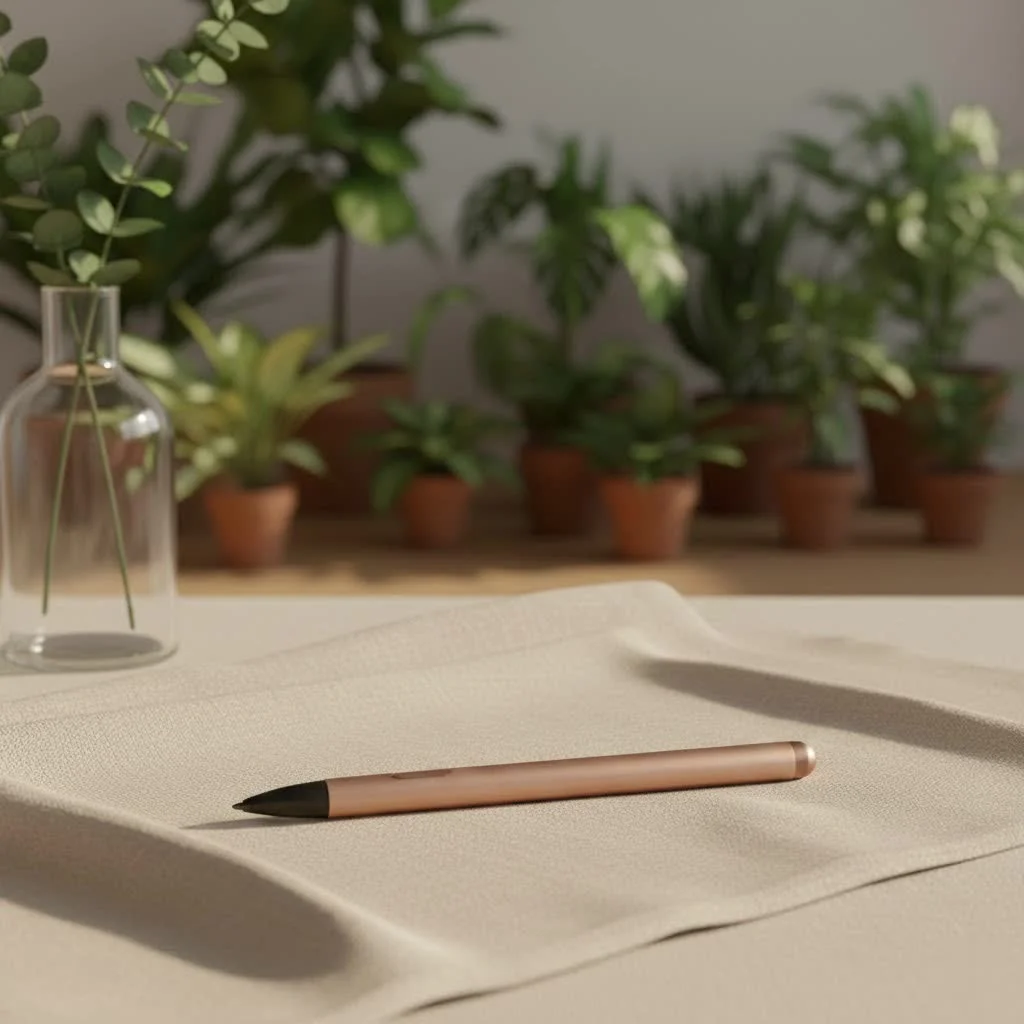
A stylus ballpoint pen is a versatile two-in-one tool that combines a traditional ink ballpoint pen with a conductive stylus tip for touchscreen devices. This innovation allows users to seamlessly transition between writing on paper and interacting with digital screens, offering enhanced precision, improved hygiene, and a streamlined workflow. It’s a practical solution for individuals navigating both physical and digital tasks, eliminating the need to carry multiple writing instruments.
What Exactly is a Stylus Ballpoint Pen?
At its core, a stylus ballpoint pen is a clever two-in-one device. One end features a classic ballpoint pen for traditional ink-on-paper writing – perfect for brainstorming, filling out forms, or adding a personal touch to a handwritten note. The other end boasts a soft, conductive stylus tip, specifically designed to interact with any capacitive touchscreen, from your smartphone to your tablet or even a touchscreen laptop. It’s often referred to simply as a dual-function pen or a pen with a stylus tip, highlighting its practical versatility.
The concept of a stylus itself isn’t new; ancient civilizations used styluses to inscribe on clay tablets and wax. However, the modern iteration, particularly the stylus ballpoint pen as we know it today, emerged as touchscreens became ubiquitous. Companies recognized the need for a tool that could offer both the tactile feedback of conventional writing and the precision of digital interaction without carrying multiple gadgets. This fusion offers incredible convenience, allowing you to transition between physical and digital tasks with a simple flip or twist of your hand.
But how does it actually work on a screen? Most stylus ballpoint pens utilize capacitive technology, which means the stylus tip is made of a conductive material that mimics the electrical properties of your fingertip. Touchscreens rely on sensing these electrical charges to register your input. So, when you use a capacitive stylus, the screen simply thinks it’s your finger, but with far greater accuracy and control. Unlike more advanced active styluses that contain internal electronics, passive stylus ballpoint pens don’t require batteries or Bluetooth pairing, making them universally compatible with virtually all modern touchscreen devices.
Why You Need a Stylus Ballpoint Pen in Your Life
The benefits of integrating a stylus ballpoint pen into your daily routine are manifold, touching upon everything from hygiene to heightened creativity and improved workflow efficiency.
Precision Perfected: For Detailed Tasks
|
Our Picks for the Best Stylus Pen in 2026
As an Amazon Associate I earn from qualifying purchases.
|
||
| Num | Product | Action |
|---|---|---|
| 1 | Metapen Pencil A8 V4 for iPad 2018-2025, Upgrade Magnetic Attraction, 2X Fast Charge, Low Latency Stylus Pen for iPad 11-6th Gen, Pro 12.9/11/13-inch M4/M5, Air 3/4/5/M2/M3, Mini 5/6/7th A17 Pro |

|
| 2 | Metapen Pencil A8 for Apple iPad 2018-2025, (2X Faster Charge), Tilt Sensitivity, Pixel Precision, Stylus Pen for iPad 11/10/9/8/7/6th Gen, Pro 12.9/11/13-inch M4, Air 3/4/5/M2/M3, Mini 5/6th, Black |
|
| 3 | Bopomofo Stylus (5 Pcs),2-in-1 Stylus Pen for Touchscreen, High Precision and Sensitivity, Suitable for iPhone/ipad/Android Tablets, Compatible with Touch Screens,Black |
|
| 4 | Bopomofo Stylus (5 Pcs), 2-in-1 Stylus Pen for Touch Screen, High Precision and Sensitivity, Suitable for iPhone/ipad/Android Tablets, Compatible with Touch Screens (Black/White/Blue/Rose Gold/Silver) |
|
| 5 | Metapen Pencil A8 for Apple iPad 2018-2025, (2X Faster Charge), Tilt Sensitivity, Pixel Precision, Stylus Pen for iPad 11/10/9/8/7/6th Gen, Pro 12.9/11/13-inch M4, Air 3/4/5/M2/M3, Mini 5/6th, Blue |
|
| 6 | Metapen Pencil A8 for Apple iPad 2018-2025, (2X Faster Charge), Tilt Sensitivity, Pixel Precision, Stylus Pen for iPad 11/10/9/8/7/6th Gen, Pro 12.9/11/13-inch M4, Air 3/4/5/M2/M3, Mini 5/6th, White |
|
| 7 | Metapen Pencil A8 for Apple iPad 2018-2025, (2X Faster Charge), Tilt Sensitivity, Pixel Precision, Stylus Pen for iPad 11/10/9/8/7/6th Gen, Pro 12.9/11/13-inch M4, Air 3/4/5/M2/M3, Mini 5/6th, Green |
|
| 8 | Bopomofo Stylus (10 Pcs), 2-in-1 Stylus Pen for Touchscreen, High Precision and Sensitivity, Suitable for iPhone/ipad/Android Tablets, Compatible with Touch Screens,Black/White |
|
| 9 | Bopomofo Stylus (5 Pcs),2-in-1 Stylus Pen for Touchscreen, High Precision and Sensitivity, Suitable for iPhone/ipad/Android Tablets, Compatible with Touch Screens,Blue |
|
| 10 | Metapen Pencil A8 for Apple iPad 2018-2025, (2X Faster Charge), Tilt Sensitivity, Pixel Precision, Stylus Pen for iPad 11/10/9/8/7/6th Gen, Pro 12.9/11/13-inch M4, Air 3/4/5/M2/M3, Mini 5/6th, Grey |
|
Have you ever tried to tap a tiny button on your smartphone with a finger that feels suddenly gigantic? Or attempted to sign a digital document with a shaky on-screen scrawl? A stylus ballpoint pen offers unparalleled precision. Its finer tip allows for exact selection, accurate drawing, and legible handwriting on digital interfaces. This precision is a game-changer for anything from meticulously editing photos to precisely highlighting text in a digital document, giving you a level of control that your finger simply can’t match.
A Cleaner Screen, A Healthier You
Let’s face it, our fingers are constantly interacting with the world, accumulating oils and germs. Every swipe across your screen leaves behind smudges and bacteria. Using a stylus ballpoint pen significantly reduces the accumulation of fingerprints and grime, keeping your device’s display looking pristine. Beyond aesthetics, it’s also a more hygienic choice, especially when interacting with public touchscreens like ATMs or self-checkout kiosks. “In a world increasingly aware of germ transmission, a personal stylus offers a simple yet effective barrier, promoting better hygiene across all your touch interactions,” notes Dr. Evelyn Reed, an expert in digital productivity.
Seamless Workflow: Analog to Digital, No Switching
One of the most compelling advantages of a stylus ballpoint pen is the fluidity it brings to your work or study. Imagine taking notes in a meeting: you quickly jot down a point on your notepad, then immediately switch to your tablet to annotate a presentation slide, all with the same tool. There’s no fumbling for a separate stylus or a traditional pen. This dual functionality streamlines your workflow, allowing for uninterrupted transitions between physical and digital tasks, saving you precious time and mental energy.
Unleash Your Creativity and Boost Productivity
For artists, designers, students, and professionals alike, a stylus ballpoint pen is a powerful ally. It transforms your touchscreen into a canvas for digital art, a whiteboard for brainstorming, or a notebook for handwritten digital notes. With enhanced precision, you can doodle, sketch, annotate PDFs, and mark up documents with ease. “The ability to quickly toggle between traditional ink and digital input within a single device significantly lowers cognitive load, freeing up mental space for genuine creative thought and problem-solving,” explains Dr. Reed. It also makes multitasking a breeze, allowing you to navigate apps, select items, and make edits on the go with greater efficiency.
Ergonomics and Comfort: A Natural Feel
Holding a stylus ballpoint pen feels just like holding a regular pen, which is a big win for ergonomics. For those who find prolonged finger-tapping uncomfortable or imprecise, the pen-like grip reduces hand fatigue and offers a more natural writing and drawing experience. Whether you have large hands that obscure small screen elements or smaller hands that struggle with reach, the familiar form factor of a stylus ballpoint pen provides a comfortable and effective alternative.
Navigating the Market: How to Choose Your Ideal Stylus Ballpoint Pen
Selecting the perfect stylus ballpoint pen isn’t complicated, but a few key considerations will ensure you find a tool that truly fits your needs.
Considering the Ballpoint: Ink Type, Smoothness, Refillability
First and foremost, don’t overlook the “ballpoint” half of the equation. A good stylus ballpoint pen should offer a smooth, consistent writing experience. Look for:
- Ink Quality: Does the ink flow easily without skipping? Is it quick-drying to prevent smudges?
- Point Size: Common sizes like 0.7mm or 1.0mm offer different writing feels.
- Refillability: A refillable pen is not only more economical but also environmentally friendlier, extending the life of your pen.
Evaluating the Stylus: Tip Material and Responsiveness
The stylus tip is crucial for digital interaction. Most stylus ballpoint pens feature a passive capacitive tip. Common materials include:
- Rubber Tips: These are the most common, offering a soft, finger-like touch. They are durable and work reliably across all capacitive screens.
- Mesh Tips: Often more durable and smoother gliding than rubber, providing a slightly more precise feel.
- Disc Tips: These offer superior precision, as the clear disc allows you to see exactly where your line is being drawn. They require a bit more care but are excellent for detailed work.
Ensure the stylus tip is responsive on your devices. Since they are generally universal for capacitive screens, compatibility is rarely an issue, but a good tip will offer a fluid and accurate interaction.
Design and Durability: Build Materials, Weight, Grip
Your stylus ballpoint pen should feel good in your hand and withstand daily use.
- Build Materials: Metal barrels offer a premium feel and enhanced durability compared to plastic.
- Weight and Balance: A pen that’s too light can feel cheap, while one that’s too heavy might cause fatigue. Look for a balanced design.
- Grip: Ergonomic grips, often made of rubber or featuring ridges, provide comfort and prevent slipping during extended writing or drawing sessions.
- Mechanism: Consider retractable designs (twist or click) for convenience, as they protect the ballpoint tip when not in use and prevent lost caps.
Budget vs. Features: Finding the Right Balance
Stylus ballpoint pens come in a wide range of price points. While higher-end models might offer more refined designs or specific ink types, excellent functional options are available across all budgets. Prioritize the features most important to you – whether it’s ultra-smooth ink, a specific stylus tip for precision, or a robust metal body for durability – and find a pen that balances these with your budget. Remember, a reliable stylus ballpoint pen is an investment in productivity and convenience.
Making the Most of Your Dual-Function Tool: Tips and Tricks
Once you’ve chosen your ideal stylus ballpoint pen, a few simple tips can help you maximize its utility.
Optimal Grip and Technique
Hold your stylus ballpoint pen just as you would a traditional pen. For digital tasks, experiment with different angles to find what feels most natural and provides the best control for your specific device and app. Some users prefer a slightly more vertical hold for precise tapping, while others maintain a natural writing angle for sketching.
Keeping It Pristine: Cleaning and Maintenance
Regular maintenance ensures both components of your stylus ballpoint pen perform optimally.
- Stylus Tip: Gently wipe the stylus tip with a soft, lint-free cloth, perhaps slightly dampened, to remove any dust or oils that might affect its responsiveness.
- Ballpoint: Store your pen properly to prevent the ink from drying out or leaking. If refillable, ensure you use the correct ink refills.
Unlocking Apps for Enhanced Use
Explore apps that are optimized for stylus input. For note-taking, apps like Evernote, OneNote, or GoodNotes can transform your handwritten digital notes into searchable text. For creativity, drawing apps like Procreate (on iPad) or Autodesk Sketchbook can turn your stylus ballpoint pen into a versatile artistic instrument. Even basic email and messaging apps benefit from the precision a stylus offers for typing and navigation.
Top Stylus Ballpoint Pens: A Glimpse at the Best
The market for stylus ballpoint pens is rich with choices, catering to various needs and preferences. While specific brands and models evolve, certain design principles consistently stand out. Pens featuring retractable mechanisms, where a simple twist or click reveals either the ballpoint or the stylus, are highly popular for their seamless transitions. Models with ergonomic grips made from silicone or textured metal provide enhanced comfort during extended use, a crucial factor for professionals and students. Additionally, pens that offer replaceable stylus tips and standard ballpoint refills are particularly appealing, ensuring longevity and cost-effectiveness. Brands like Zebra Pen have been lauded for their pioneering work in this space, offering reliable and user-friendly options that embody the convenience of a true stylus ballpoint pen.
Frequently Asked Questions About Stylus Ballpoint Pens
Q1: Can I use a stylus ballpoint pen on any touchscreen device?
A: Generally, yes. Most stylus ballpoint pens use passive capacitive technology, meaning they mimic your finger’s electrical charge. This makes them universally compatible with almost all modern smartphones, tablets, and touchscreen laptops.
Q2: Are there different types of stylus tips for ballpoint pens?
A: Yes, while most are passive capacitive, the tips can vary. Common types include soft rubber tips for a gentle touch, durable mesh tips for smoother gliding, and precision disc tips for highly detailed work.
Q3: How do I clean my stylus ballpoint pen?
A: For the stylus tip, a soft, lint-free cloth (lightly dampened if necessary) is usually sufficient to remove dust and oils. For the ballpoint pen body, a dry or slightly damp cloth will keep it clean. Avoid harsh chemicals.
Q4: Is a stylus ballpoint pen truly better than just using my finger?
A: For precision tasks like drawing, fine selection, or handwriting notes, a stylus ballpoint pen offers significantly better accuracy and control than a finger. It also keeps your screen cleaner and can be more comfortable for extended use.
Q5: Do stylus ballpoint pens require batteries?
A: Most stylus ballpoint pens are passive (capacitive) styluses and do not require batteries. They simply conduct your natural electrical charge to the screen, just like your finger. Active styluses, which offer features like pressure sensitivity, do require batteries but are typically separate devices, not integrated into a standard ballpoint pen.
Conclusion
The stylus ballpoint pen is more than just a novelty; it’s a testament to thoughtful design in a world that demands both digital prowess and analog reliability. It embodies the best of both worlds, offering the tactile satisfaction of writing on paper combined with the precision and versatility of digital interaction. From keeping your screens spotless to unlocking new levels of creativity and productivity, this dual-function tool streamlines your life and enhances your digital experience. So, if you’re looking to bridge the gap between your physical and digital workspaces with elegance and efficiency, it’s time to explore the power of the stylus ballpoint pen. Give one a try; you might just wonder how you ever managed without it.
Frequently Asked Questions
Can a stylus ballpoint pen be used on any touchscreen device?
Yes, most stylus ballpoint pens utilize passive capacitive technology, making them universally compatible with nearly all modern smartphones, tablets, and touchscreen laptops. They mimic your finger's electrical charge to interact with the screen.
What are the different types of stylus tips available for these pens?
While most are passive capacitive, stylus tips vary in material. Common types include soft rubber tips for a gentle touch, durable mesh tips for smoother gliding, and precision disc tips, which are excellent for highly detailed work.
What is the recommended method for cleaning a stylus ballpoint pen?
To clean the stylus tip, gently wipe it with a soft, lint-free cloth, which can be lightly dampened if necessary, to remove dust and oils. For the ballpoint pen body, a dry or slightly damp cloth will suffice, but avoid harsh chemicals.
Is using a stylus ballpoint pen more effective than just a finger?
For tasks requiring precision, such as drawing, fine selection, or handwriting digital notes, a stylus ballpoint pen offers significantly better accuracy and control than a finger. It also helps keep your screen cleaner and provides a more comfortable grip for extended use.
Do stylus ballpoint pens require batteries to function?
Most stylus ballpoint pens are passive capacitive styluses and do not require batteries. They simply conduct your natural electrical charge to the screen. Active styluses, which offer advanced features like pressure sensitivity, typically require batteries but are separate devices.
How to Choose Your Ideal Stylus Ballpoint Pen
Selecting the perfect stylus ballpoint pen involves considering the ballpoint's quality, the stylus tip's material, and the pen's overall design and durability to match your specific needs and budget.
Evaluate the ink quality for smooth, skip-free writing and quick drying to prevent smudges. Check the point size, with common options like 0.7mm or 1.0mm, and prioritize refillability for economic and environmental benefits.
Focus on the stylus tip, which is crucial for digital interaction. Common passive capacitive tip materials include rubber for a soft touch, mesh for smoother gliding and durability, and disc tips for superior precision in detailed work.
Examine the pen's build materials, preferring metal for a premium feel and enhanced durability over plastic. Consider the weight and balance for comfort, and look for ergonomic grips to prevent hand fatigue during extended use. Retractable mechanisms are convenient for protecting the ballpoint.
Stylus ballpoint pens vary widely in price. Prioritize features most important to you, such as ink smoothness, stylus precision, or a robust body. Find a pen that offers the best balance of these features within your budget, as a reliable pen is an investment in productivity.

I was skeptical about how well a combined pen would work, but I’m genuinely impressed. The conductive stylus tip is super responsive on my iPad, and the traditional ink pen is comfortable to hold for longer writing sessions. It’s definitely helped streamline my tasks and reduced clutter in my bag. Highly recommend for anyone who juggles both.
I picked one of these up after reading about the improved hygiene aspect, and it’s been great. No more smudges or fingerprints on my screen from using my finger. The transition between writing on paper and interacting with my digital devices is seamless. It’s a practical solution that I didn’t realize I needed.
I’ve been looking for a good two-in-one tool for ages, and this stylus ballpoint pen is exactly what I needed. It’s so convenient not having to carry a separate pen and stylus anymore. The precision on my tablet is fantastic, and the ballpoint writes really smoothly. Definitely a game-changer for my workflow.
This pen is pretty solid. I love the idea of bridging analog and digital, and it works well for quick notes on paper then switching to my phone. My only minor gripe is that the stylus tip feels a little too soft sometimes, but it still gets the job done without any issues. Good value for the convenience.
The concept of eliminating the need to carry multiple writing instruments is great, and it mostly delivers. However, I found the ballpoint ink to be a bit inconsistent at times, occasionally skipping. The stylus part works perfectly fine on my touchscreen, but I wish the pen itself was a bit more reliable for everyday writing.